
Getting Started
Up and Running in Minutes
Create your account, explore the platform, and start trading. Follow these six simple steps to go from sign-up to your first trade.
ONBOARDING
Your Path to Trading
Create Your Account
Sign up with your email address at trading.apps.myallies.com, verify your email, and get instant access to the demo environment. The entire process takes less than two minutes.
Explore the Dashboard
Your dashboard is the central hub of the trading experience. Get an instant overview of your portfolio value, navigate platform features through the menu, and see real-time market data updating throughout the day.
Try Demo Trading
Practice with $50,000 in virtual capital. Every feature available to live traders is also available in the demo environment — place trades, explore options, and test strategies with no financial risk.
Set Up Watchlists
Track your favorite companies by creating custom watchlists. Organize stocks by sector or strategy, set price alerts to be notified when the market moves, and follow trending companies in the community.
Verify Your Identity
When you are ready for live trading, complete identity verification by uploading a government-issued ID and proof of address. Verification is typically completed within 24 to 48 hours.
Place Your First Trade
Search for a stock, review the company profile and market data, select your order type, set the quantity, and execute. The workflow is identical to the demo, so the transition to live trading is seamless.
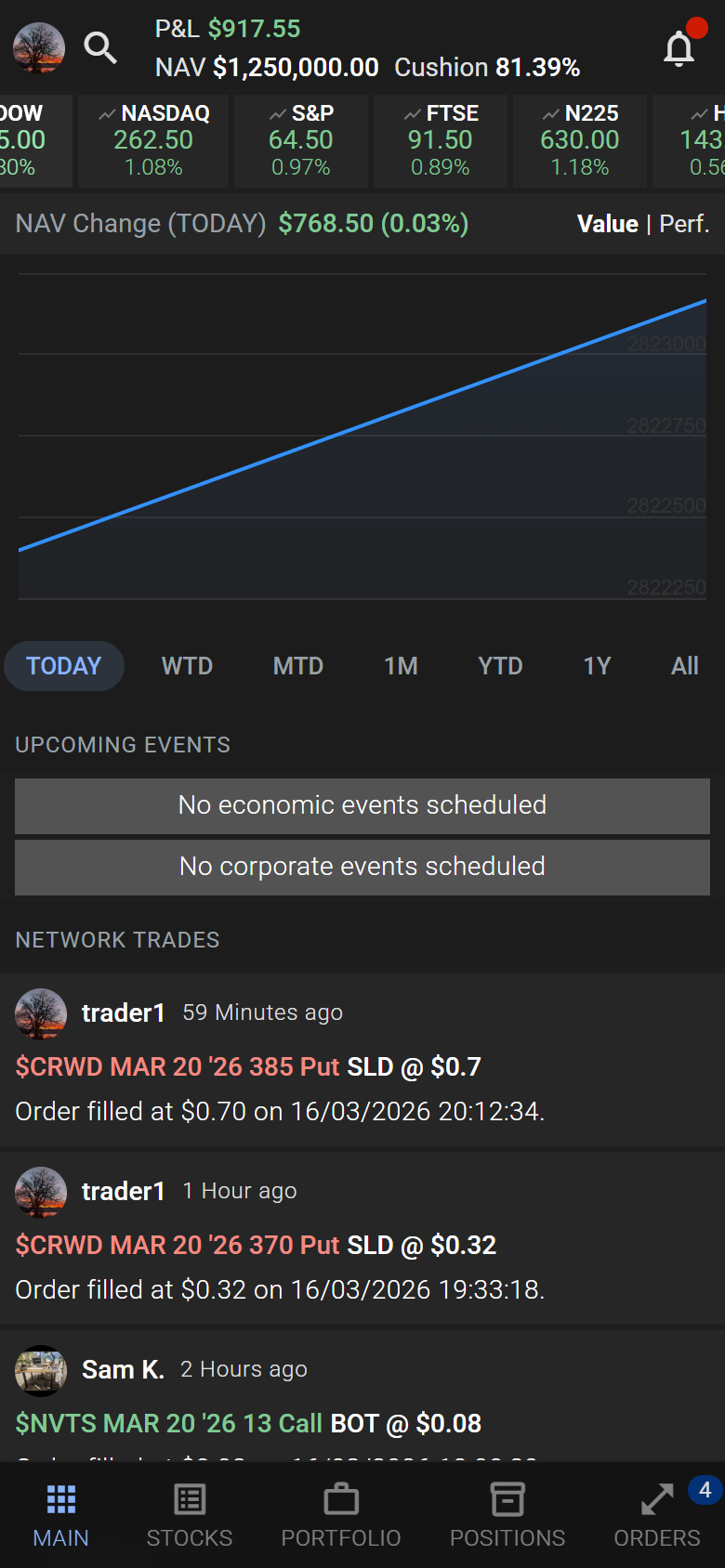
Your Dashboard at a Glance
When you log in, your dashboard provides an immediate overview of everything that matters. Portfolio value, daily performance, and open positions are front and center, with all platform features accessible through the navigation menu.
- done_all Real-time portfolio value and daily performance summary
- done_all Quick access to watchlists, market data, and trading tools
- done_all Open positions with live profit and loss tracking
- done_all Alerts, notifications, and account settings at your fingertips